
How does version control support DevOps workflows?
When people first hear about DevOps, they often think it’s only about automation tools or deployment pipelines. But once you start working on real projects, you notice that version control is where everything begins. I’ve seen learners during DevOps Course in Trichy get confused initially, especially when multiple developers work on the same codebase, but things become clear once they understand how version control keeps everything organized.
Why version control matters in teams
In a team environment, multiple people write and update code simultaneously. Without version control, it becomes messy very quickly. Files get overwritten, changes get lost, and tracking progress becomes difficult. Version control systems solve this by keeping a history of every change. You can always see who made what change and when, which makes collaboration smoother and more reliable.
Tracking changes over time
One of the biggest advantages of version control is the ability to track changes step by step. Every update is recorded as a commit with a message explaining what was done. This helps developers understand the project’s evolution. If something breaks, you can easily revert to a previous version. This kind of tracking is very useful in real projects where debugging issues is part of daily work.
Working with branches
Branches allow developers to work on different features without affecting the main code. For example, one person can work on a new feature while another fixes bugs. These changes are done in separate branches and later merged into the main branch. This reduces conflicts and keeps development organized. Branching is a key concept that supports parallel work, a common practice in DevOps environments.
Supporting continuous integration
Version control plays a direct role in continuous integration. Whenever code is pushed to the repository, automated tools can pick it up, run tests, and check for issues. This ensures that new changes do not break the existing system. During hands-on DevOps Training in Erode, learners often see how a simple code push can trigger an automatic full build and test cycle.
Managing conflicts and collaboration
Sometimes, two developers may edit the same file in different ways. This leads to conflicts when merging code. Version control systems highlight these conflicts and allow developers to resolve them manually. While it may seem challenging at first, understanding how to handle conflicts is an important skill. It ensures that all changes are properly combined without losing important updates.
Maintaining code quality
Version control also supports code reviews. Before merging changes into the main branch, team members can review the code, suggest improvements, and catch mistakes. This improves overall code quality. It also creates a learning environment where developers understand better ways of writing code. Over time, this process helps teams maintain consistent standards across the project.
Real-world workflow connection
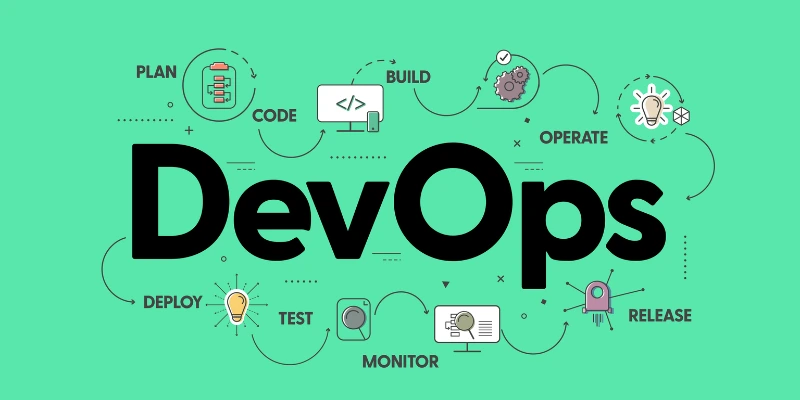
In real DevOps workflows, version control is connected to many other tools. It links with build systems, testing tools, and deployment pipelines. Everything starts with a commit. Once code is pushed, the pipeline takes over and moves it through different stages. This integration makes development faster and more structured, which is why version control is considered a core part of DevOps.
As you gain experience, version control stops feeling like just a tool and starts becoming part of your daily thinking process. It shapes how you write, test, and manage code. Many learners build this understanding gradually and continue improving through DevOps Course in Salem, where the focus stays on real workflows rather than just theory.
Also Check: What is Continuous Testing In DevOps?